

Online check-in demo
Before you check in
You can use Manage My Booking to:
- Reserve your seat and get a wider choice before check-in opens
- Pay for extra baggage and get an online discount
Getting started
Go to "Manage My Booking" and enter your British Airways booking reference and last name into the "Online check-in" section.
Now select "Start Check-in".
Flight and passenger details
Now you'll see the list of flights for everyone in your booking departing within the next 24 hours.
For up to nine people on the same booking you can check-in online. For ten or more people you will need to Check-in at a Kiosk in the airport.
Advance Passenger Information (API) is required by most countries. If you do not see this step when you are checking in online, your details may already be in the booking or you are travelling to or from a country that doesn't require API.
About Advance Passenger InformationSelect number of bags
Select the box next to "Check in now" and then select "Continue".
Choose the number of bags you want to take with you free of charge.
If you want to increase your allowance, you save money if you buy extra baggage online through Manage My Booking before you check in.
Don’t forget:
You can pay to increase your baggage allowance through Manage My Booking before you check-in online. You will save money on our airport prices by planning ahead and taking advantage of our online discount.
Now you need to confirm you have read and understood the unattended baggage, banned and restricted items message, tick the box and select "Continue".
Confirm your seats
Now you'll see the seat you have pre-assigned or been allocated by us and you have 2 options.
-
1 |
Accept your allocated seats by selecting "Confirm seats and check-in now".

-
2 |
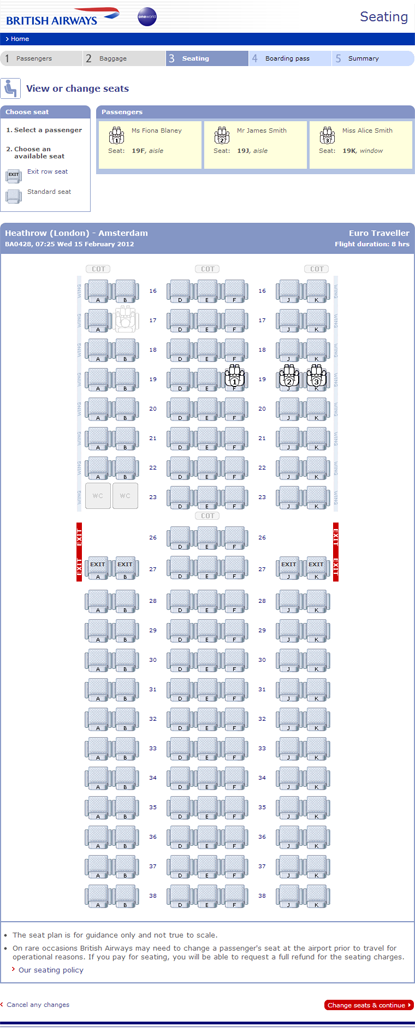
To amend your seat use the "View or change seats" button.
View or change your seats
-
3 |
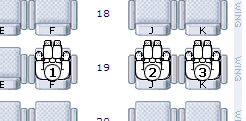
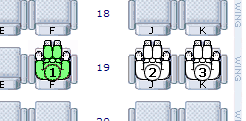
To move a passenger, select the passenger in the seat, the icon will become green.
-
4 |
Move the passenger icon to an available seat shown in blue.
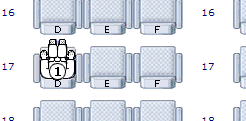
-
5 |
To choose these seats select "Change seats & continue".
Issue your boarding pass
You are now checked in.
To save time at the airport, you can:
- Download your boarding pass on your mobile
- Print, fax, save or email your boarding pass
- Collect your boarding pass from an airport kiosk or desk
Please do any of the above at least one hour before your flight departs.
You can make any of these changes up to an hour before your flight departs.
Choose an option and select "Go".
View check-in summary
Now you can see your flight details and review the check-in status of everyone in your booking by using the "View check-in summary".
At the airport
When you go to the airport take your boarding pass with you or collect it at a Check-in Kiosk.
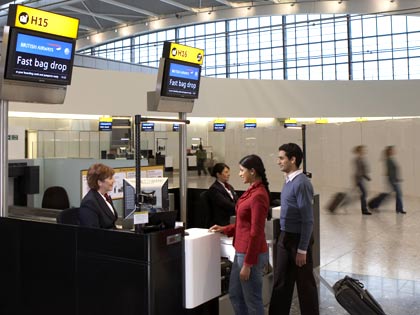
If you are travelling with baggage to be checked in, take it to a Bag Drop desk.
If you only have hand baggage, continue through security to departures.
Don’t forget if you haven't paid for your extra baggage online you can still do it at the airport at a Bag Drop desk.
Other check-in options